
AI
AI.
Useful in the product. Useful in the work of making it.
Less brings design, product, frontend and AI capability to real tasks: the interaction people use, the workflow around it, and the system that helps a team build and maintain it.
See the workWhere it is showing up.
Platform processes
Less works with OpenAI on evolving their platform processes.
Ask about this work ↗
Merchant activation
Less explored an AI-assisted path through quotes, contracts and onboarding using product design and code prototypes.
See the prototype work ↗Merchant activation prototypeDesign the work around the model.
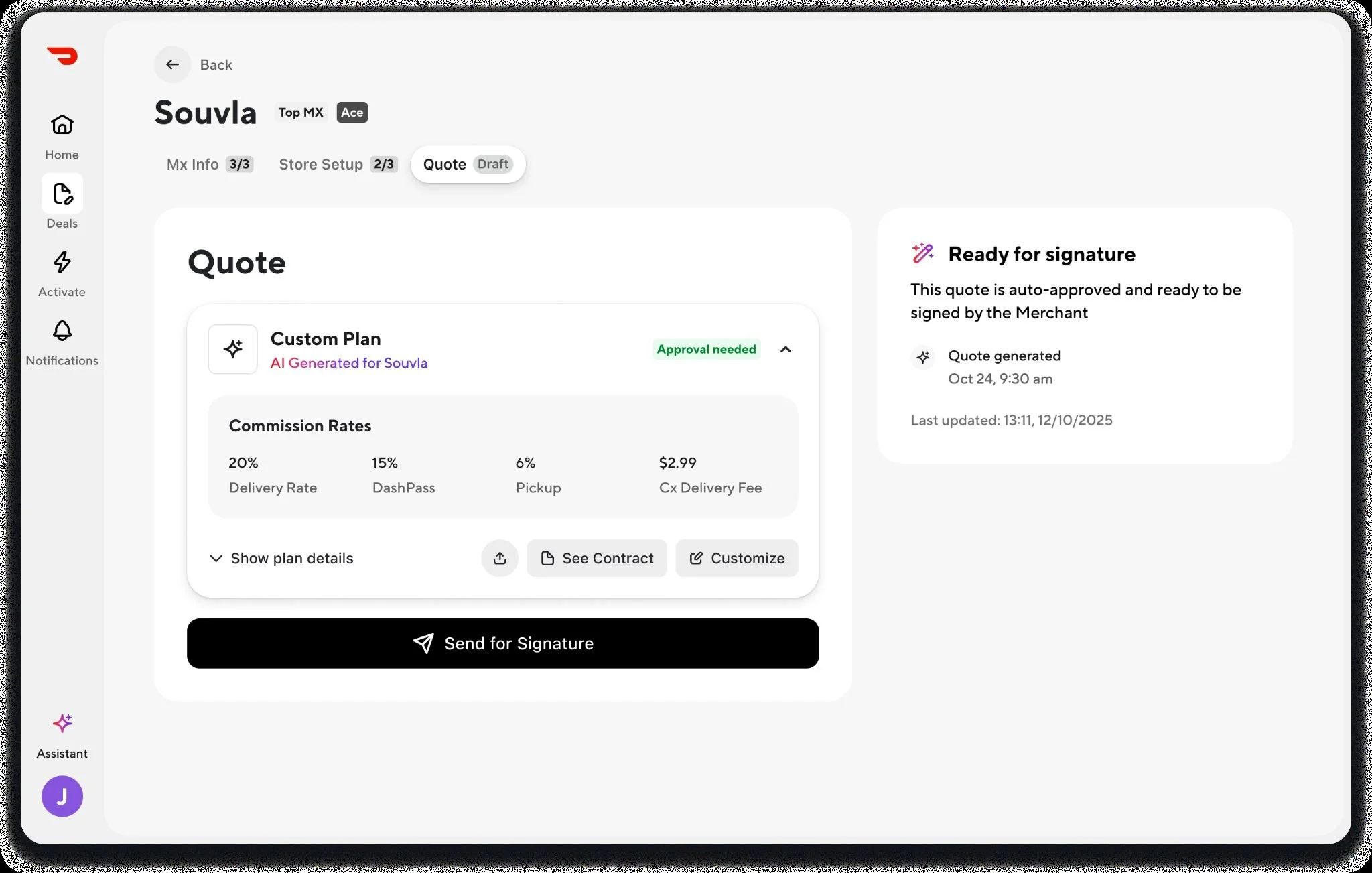
An AI-generated offer is useful when a sales person can understand it, change it and move the merchant forward. For DoorDash, Less prototyped the product experience around a generated quote: commercial terms, human review, signature and activation in one working flow.
The work joins product flows, detailed interface design and code prototyping. It gives the team a working experience to review, rather than leaving the questions about AI behavior in a static screen.
Turn generated output into a usable product.
The sales user sees the proposed plan and rates, opens the contract, adjusts the offer and decides when it is ready to send. The design connects AI output to the surrounding product: editable terms, an inspectable contract, a decision to send and a visible next state.
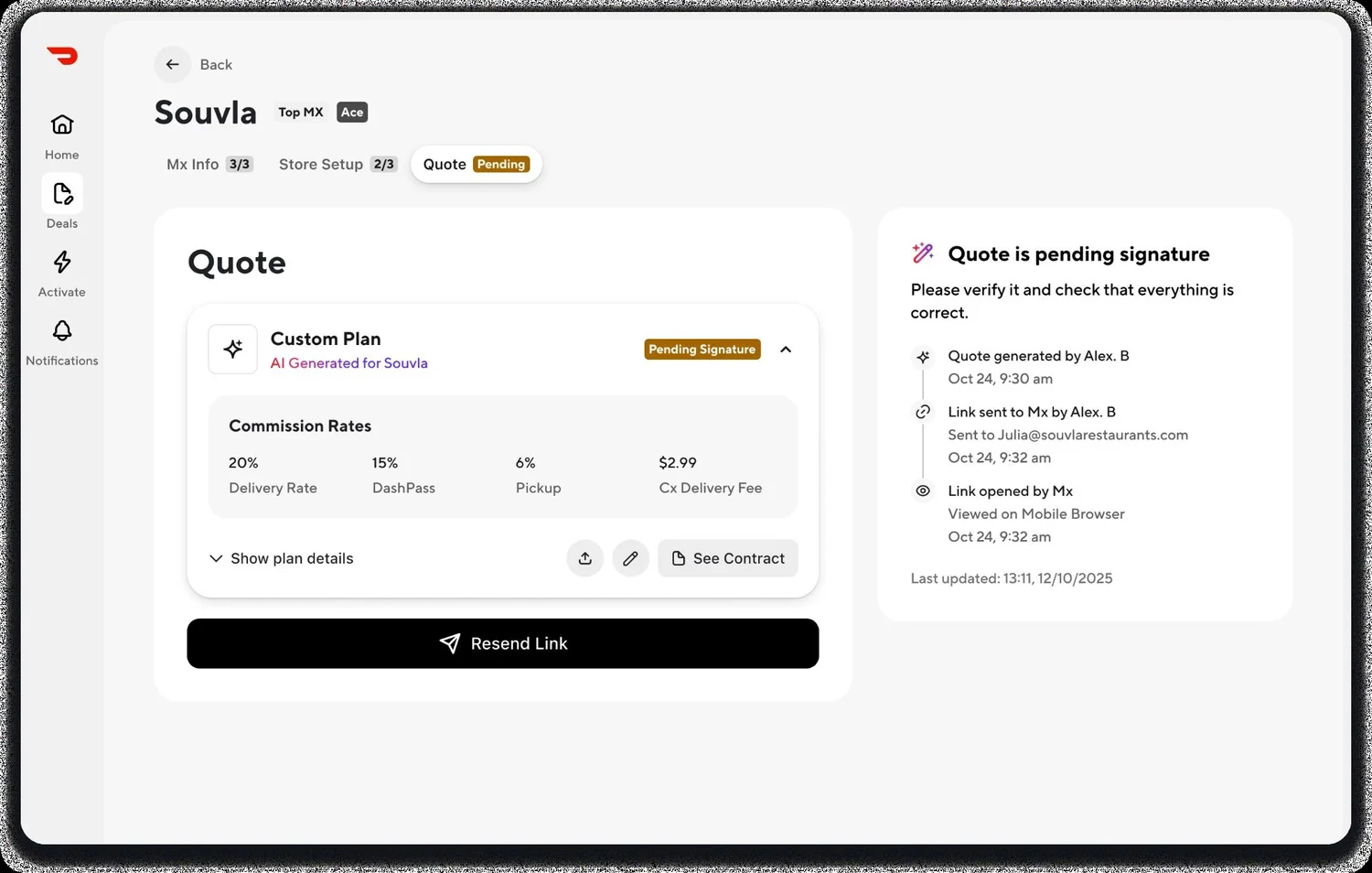
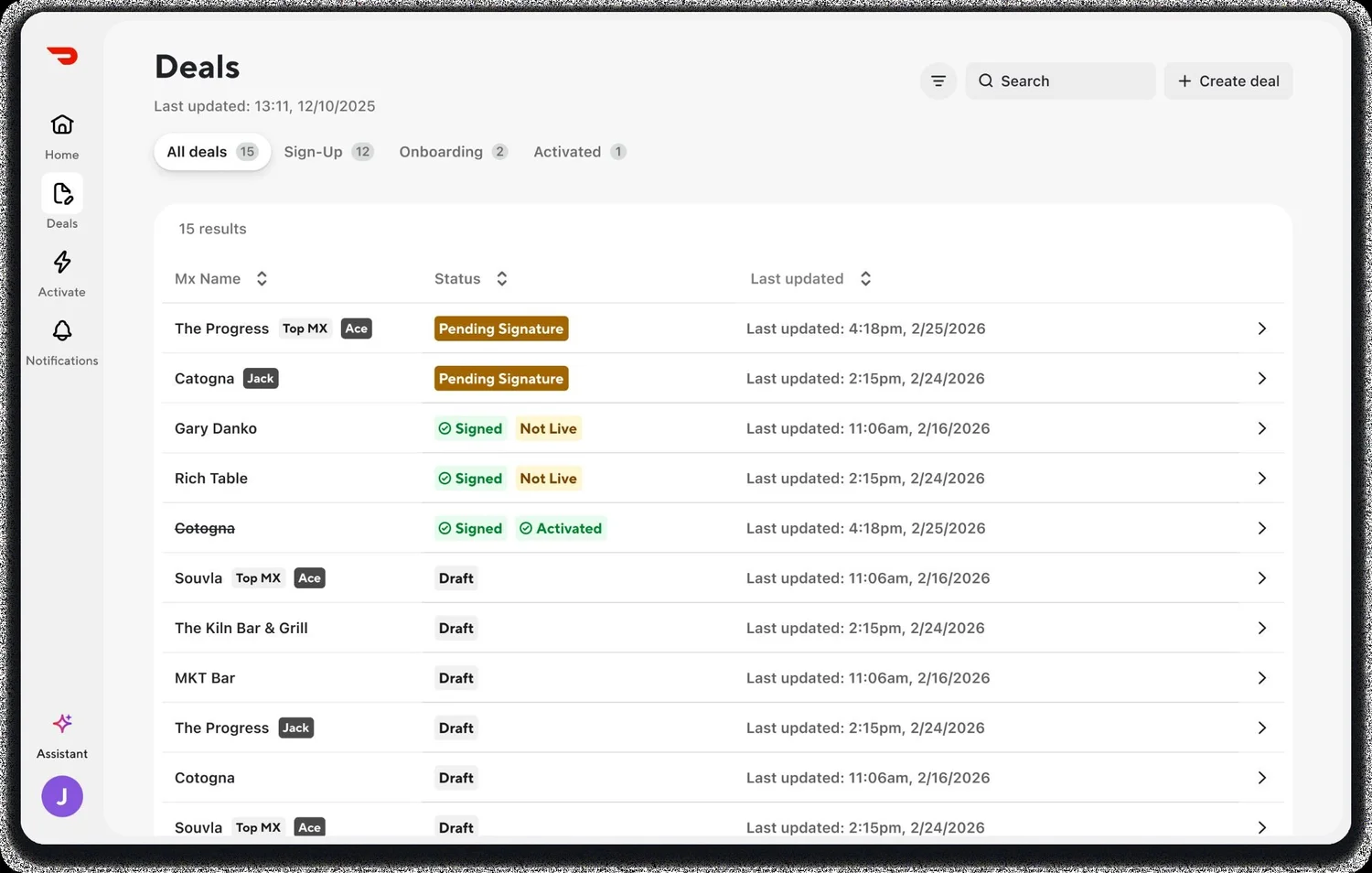
Selected screens from a working prototype. Want the decisions behind them?
Ask for a walkthroughWhere we can take responsibility.
AI product design
Work out what AI should do in the product, then design the interaction in enough detail to build and test.
- Task flows, input and prompt interactions
- Generated content, editing and source visibility
- Review, approval, correction and undo
- Waiting, streaming, uncertainty and failure states
- Detailed screens and implementation review
Human–AI workflows
Design the whole task across people, AI and the systems a business uses.
- Task, dependency and decision mapping
- Human review and permission boundaries
- Handoffs, exceptions and recovery paths
- Internal interfaces and operational tools
- Prototype testing with the people doing the work
Design systems for AI-assisted development
Refactor the library and the design-to-development workflow so tools can use the team's actual components and rules.
- Component, variable and naming audits
- Semantic tokens, aliases and modes
- Properties, variants and state definitions
- Figma-to-code mapping and usage guidance
- AI-assisted build tests and correction review
Prototypes, frontend and tools
Make the behavior testable, then help carry the experience into the product.
- Working code prototypes with representative inputs
- Connected flows and realistic response states
- Scenario tests, failure paths and design decisions
- Frontend interactions and reusable components
- Build review alongside product and engineering
Join at the point of need. Stay through delivery.
One senior person, complementary specialists or a problem for Less to own. We can join while the product is being defined, make the difficult behavior tangible, build the interface or improve the tools and systems behind it.
How we work togetherWhat are you trying to make work?
Talk to LessMake AI work in the product—and in the way the product gets made.